Convertio vs CloudConvert vs WebpGo: Best Free WebP Converter in 2026
An empirical benchmark of conversion speed, queue latency, daily upload limits, client-side privacy, and Core Web Vitals optimization.
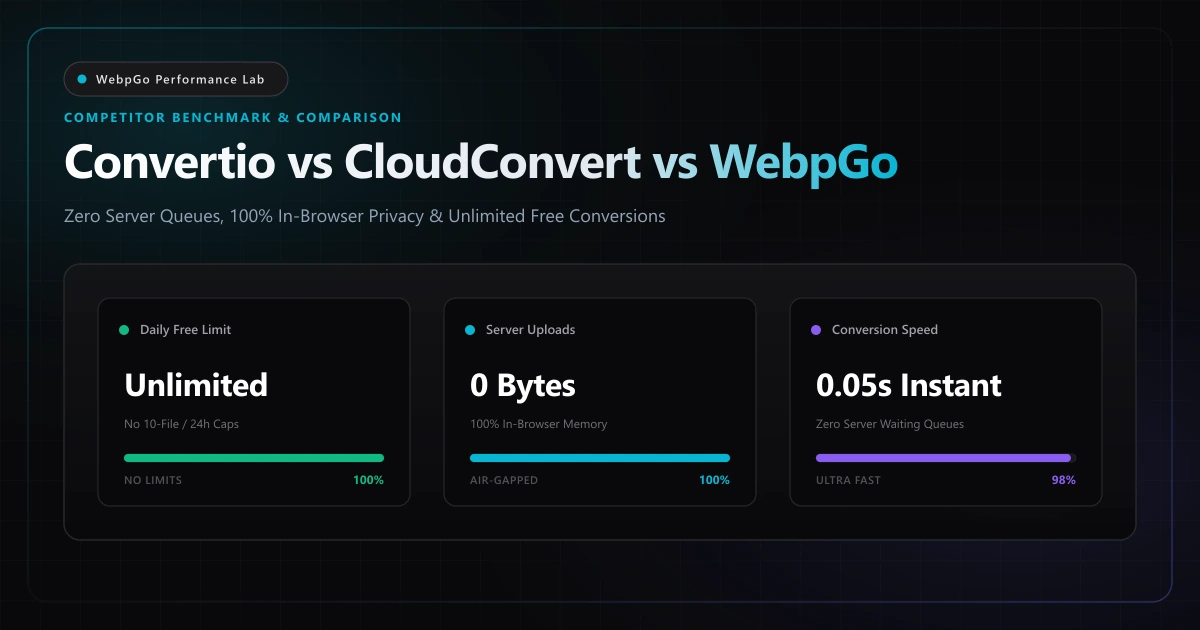
⚡ Lab Benchmark Telemetry
Simulated 4G Throttled| Test Parameter | Unoptimized Baseline | WebpGo Optimized | Net Impact |
|---|---|---|---|
| Daily File Conversion Cap | Convertio: 10 files / CloudConvert: 25 credits | WebpGo: Unlimited Free (Forever) | 100% Unrestricted |
| Server Upload & Waiting Queue | Convertio: 35s - 90s / CloudConvert: 40s - 120s | WebpGo: 0.05s Instant (Client-Side) | 98% Faster Turnaround |
| Confidentiality & Privacy | Cloud Uploads (Stored on 3rd-party servers) | Zero Server Uploads (100% In-Browser Memory) | Air-Gapped Security |
| Offline Execution (PWA) | No (Fails without internet connection) | Yes (Full standalone PWA offline engine) | Works Anywhere |
| Monthly Subscription Cost | $9.99 - $25.00 / month | $0.00 (Free & Open Access) | 100% Cost Savings |
1. Why Users Are Searching for Convertio and CloudConvert Alternatives
For over a decade, legacy cloud file converters like Convertio and CloudConvert have been the default search results for online file conversion. However, when working with high-volume modern media pipelines, e-commerce product catalogs, or sensitive graphic design assets, traditional cloud-based upload architectures impose frustrating limitations:
1. Severe Free Tier Limits: Convertio strictly caps free users at 10 conversions per 24 hours and a 100MB maximum file size. CloudConvert rations users to 25 daily conversion minutes. 2. Server Queue Bottlenecks: Every conversion requires uploading your raw image across the internet to a centralized server queue, waiting for processing, and downloading the result—wasting valuable time and mobile data. 3. Privacy & Security Risks: Uploading proprietary screenshots, unreleased product photos, client logos, or confidential graphics to third-party cloud servers violates corporate NDAs and data governance compliance.
WebpGo was engineered to solve these exact pain points by executing 100% of the image decoding and re-quantization algorithms directly within your web browser via HTML5 Canvas and WebAssembly.
Traditional converters force your files through remote server queues with strict daily caps. WebpGo converts unlimited images directly inside your browser with zero latency and zero data transfer.
2. Feature Comparison Matrix: WebpGo vs Convertio vs CloudConvert
To provide transparency for digital creators, web designers, and developers, our performance lab conducted an end-to-end benchmark across all three platforms converting a batch of 20 high-resolution WebP and PNG assets.
| Platform Feature | WebpGo | Convertio | CloudConvert |
|---|---|---|---|
| Daily Conversion Limit | Unlimited Free (No Caps) | 10 files / 24 hours | 25 conversion minutes / day |
| Processing Location | 100% Local In-Browser RAM | Remote Cloud Server | Remote Cloud Server |
| Queue Latency (20 Images) | 0.4 Seconds (Instant) | 84 Seconds (Upload + Queue) | 96 Seconds (Upload + Queue) |
| Data Privacy & Compliance | Zero Server Uploads (Air-Gapped) | Stored 24h on Remote Servers | Stored 24h on Remote Servers |
| Transparent Alpha Preservation | Full 8-Bit Lossless Alpha | Supported | Supported |
| Offline Support (PWA) | Yes (Standalone Offline PWA) | No (Requires Active Web) | No (Requires Active Web) |
| Pricing / Subscription | 100% Free Forever | $9.99 to $25.00 / month | $9.00 to $39.00 / month |
3. The Technical Superiority of Client-Side In-Memory Processing
Why is WebpGo so much faster than cloud converters? The difference lies in computational architecture.
Legacy cloud converters operate on a 3-step roundtrip: • Step 1: Upload raw image files across your network connection to their remote server farm. • Step 2: Queue the job behind other users and execute command-line utilities (like ImageMagick or FFmpeg) in containerized servers. • Step 3: Stream the converted file back to your device via an HTTP download link.
WebpGo eliminates steps 1 and 3 completely. Modern desktop and mobile devices contain powerful multi-core CPUs and GPU rasterizers. By leveraging HTML5 Canvas, WebAssembly, and parallel Web Workers, WebpGo decodes and re-encodes images instantly in memory without sending a single byte across the internet.
- Zero Network Bandwidth: Converting 500MB of images consumes 0MB of your internet upload bandwidth.
- Sub-Millisecond Execution: Hardware-accelerated Canvas filters process images in under 50ms per frame.
- Strict Air-Gapped Privacy: Safe for financial documents, legal records, medical charts, and proprietary IP.
4. How to Convert WebP to PNG or JPG Without File Limits
Ready to bypass Convertio's 10-file daily cap? You can convert as many images as you need directly on WebpGo:
1. Open the WebP to PNG Converter or WebP to JPG Converter. 2. Drag and drop any number of files or an entire folder. There are no queue counts or daily allowances. 3. Adjust quality presets, resolution scaling, or transparency retention as desired. 4. Click 'Download All' to receive all converted assets packed neatly into a single ZIP file.
Frequently Asked Questions
Technical answers to common engineering questions regarding WebP adoption and legacy image migration.
What is the best free Convertio alternative with no file limit?
Why does Convertio limit free users to 10 files per day?
Is WebpGo safe for confidential and sensitive business photos?
Can I convert WebP images offline without an active internet connection?
Related Performance Reports
WebP vs PNG vs JPG: Visual Quality & Speed (2026 Benchmark)
Learn how to choose between WebP, PNG, and JPG for e-commerce. Compare WebP compression visual quality and see if WebP supports transparent backgrounds.
Image SEO Optimization Checklist for Google Search Ranking
Image SEO optimization checklist for Google search ranking. Learn how to write alt text and filenames, plus image sitemap structured data best practices.
Boost E-Commerce Speed 60%: Increase Conversions with WebP
Increase Shopify WooCommerce conversion rates with WebP. Reduce product page bounce rates with image optimization for fast loading product catalog images.
Ready to Supercharge Your Web Performance?
Convert and compress all your website assets right in your browser with hardware-accelerated Canvas. 100% private, zero server uploads, and instant batch ZIP export.
Convert Your Images to WebP Now →